Closing an Accounting Period
Run period-end adjustments, review the close checklist, and close your accounting period.
Overview
Period close is the process of finalizing your books for a given time period (monthly, quarterly, or annually). This tutorial walks you through reviewing the checklist, running adjustments, and closing the period.
Step 1: Navigate to Periods
Go to Settings → Periods (or press G then S and select the Periods tab).
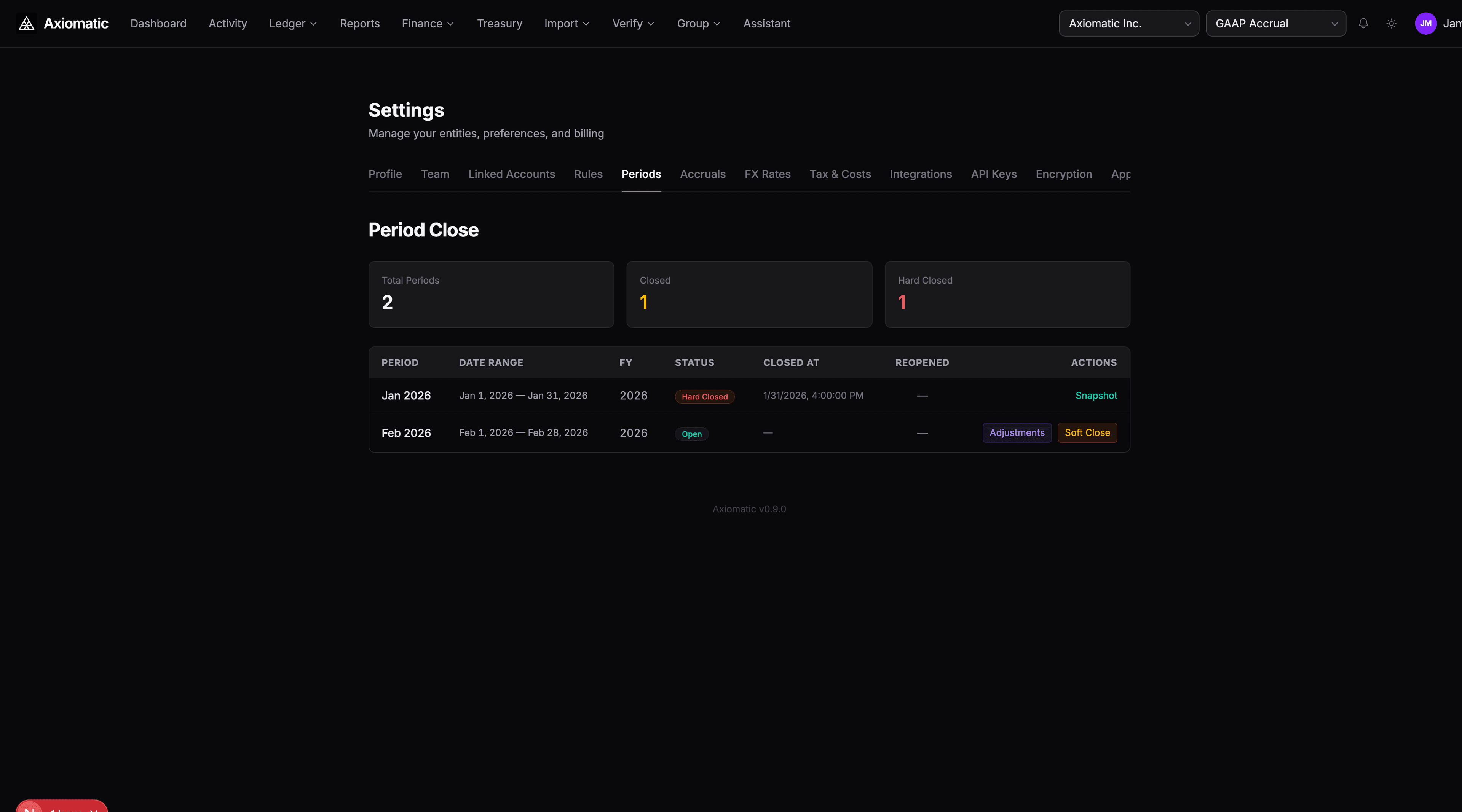
You'll see a list of your accounting periods with their current status:
| Status | Meaning |
|---|---|
| Open | Active period, accepting new entries |
| Soft Closed | Entries still allowed but flagged for review |
| Hard Closed | No further entries permitted |
Step 2: Review the Close Checklist
Each period has a close checklist — a set of tasks that should be completed before closing. Click on a period to see its checklist items:
- Reconcile all bank accounts
- Post any pending accruals
- Run depreciation for the period
- Review and approve pending journal entries
- Verify the trial balance
Close templates can be configured under Settings → Close Templates so the same checklist is generated for each period automatically.
Step 3: Run Period-End Adjustments
Before closing, run the period-end adjustments to ensure all automated entries are posted. You can do this through the AI Assistant:
Run period-end adjustments for Q4 2025
This triggers the run_period_adjustments engine, which processes in one batch:
- Depreciation — Straight-line or declining balance entries for all fixed assets
- FX Revaluation — Unrealized gain/loss entries for foreign-currency balances
- Accrual Processing — Posts any accrual or deferral schedule entries due in the period
- Interest Accrual — Accrued interest on loans and debt instruments
You can also run each component individually:
process_accruals— Just accrual schedulesrun_fx_revaluation— Just FX revaluation- These are available as AI tools or via the API
Step 4: Verify the Trial Balance
After adjustments, review the trial balance to ensure debits equal credits and account balances look correct:
- Go to Reports → Trial Balance
- Set the date to the period end date
- Verify total debits = total credits
- Check key accounts for reasonableness (cash should match bank statement, etc.)
Step 5: Close the Period
Once all checklist items are complete:
- Return to Settings → Periods
- Click the period you want to close
- Choose Soft Close (allows corrections) or Hard Close (locks the period permanently)
Soft Close is recommended first — it flags the period as closed but still allows corrections if something was missed. Once you're confident, upgrade to Hard Close.
A hard-closed period:
- Prevents any new journal entries from being posted to it
- Locks the period snapshot
- Generates a ZK proof of the trial balance (if proofs are enabled)
- Sends a
close_deadlinenotification to entity admins when approaching
Automated Close Deadline Reminders
Axiomatic automatically sends notifications when a period's close date is approaching. Entity admins receive close_deadline alerts so nothing slips through the cracks — even if they haven't logged in recently.
First Close After Migration
If you migrated to Axiomatic from another system, your first close experience depends on the migration mode you chose:
Cutover Mode
No historical periods exist — periods start from your cutover date. Your first close is a standard close of the first period. No sequential close hurdle.
Full History Mode
Historical periods are auto-closed as Migrated during the migration process. These satisfy the sequential close check, so you can close your current period normally. You do not need to review or audit migrated periods.
Migrated periods:
- Show a "Migrated" badge in the periods table
- Cannot be reopened (treated like hard-closed)
- Have snapshots marked as
isMigratedfor audit clarity
Next Steps
- Reconciling Bank Transactions — Ensure imported transactions are matched before closing
- Using the AI Assistant — Let the AI run adjustments and verify balances
- Migration Guide — Setting up Axiomatic from another accounting system